MCP
How to Connect Claude to Google & Meta Ads (Video Tutorial + 5 Use Cases)
Watch the 3-minute video walkthrough for connecting Claude AI to your Google Ads and Meta Ads accounts via MCP. No engineering, no API keys — just OAuth and you’re in. Below the video: written step-by-step + 5 practical things you can do once Claude is connected.
Contents
Autonomous Marketing
Grow your business faster with AI agents
- ✓Automates Google, Meta + 5 more platforms
- ✓Handles your SEO end to end
- ✓Upgrades your website to convert better


Why connect Claude to your Google & Meta Ads?
Once Claude is connected to your ad accounts via MCP, you stop living in dashboards. Instead of Ads Manager, Looker Studio, and twelve browser tabs — you ask Claude. “What’s my CPA this week?” “Which keywords are wasting budget?” “Pause any creative with fatigue signals.” Claude pulls live data, runs the analysis, and takes action. All from one conversation.
The connection takes under 3 minutes. No API keys, no Node.js, no engineering. The video below shows every click. Below that: written steps and 5 things marketers do most often after connecting.
Watch: 3-minute video walkthrough
This video shows the entire connection flow from start to finish — Claude settings, adding the Ryze AI MCP connector, authorizing Google Ads and Meta Ads, and the first question you can ask Claude about your account.
Written walkthrough (with screenshots)
Prefer to read instead of watch? Here are the same 5 steps in text form. Total time: under 3 minutes.
Step 01
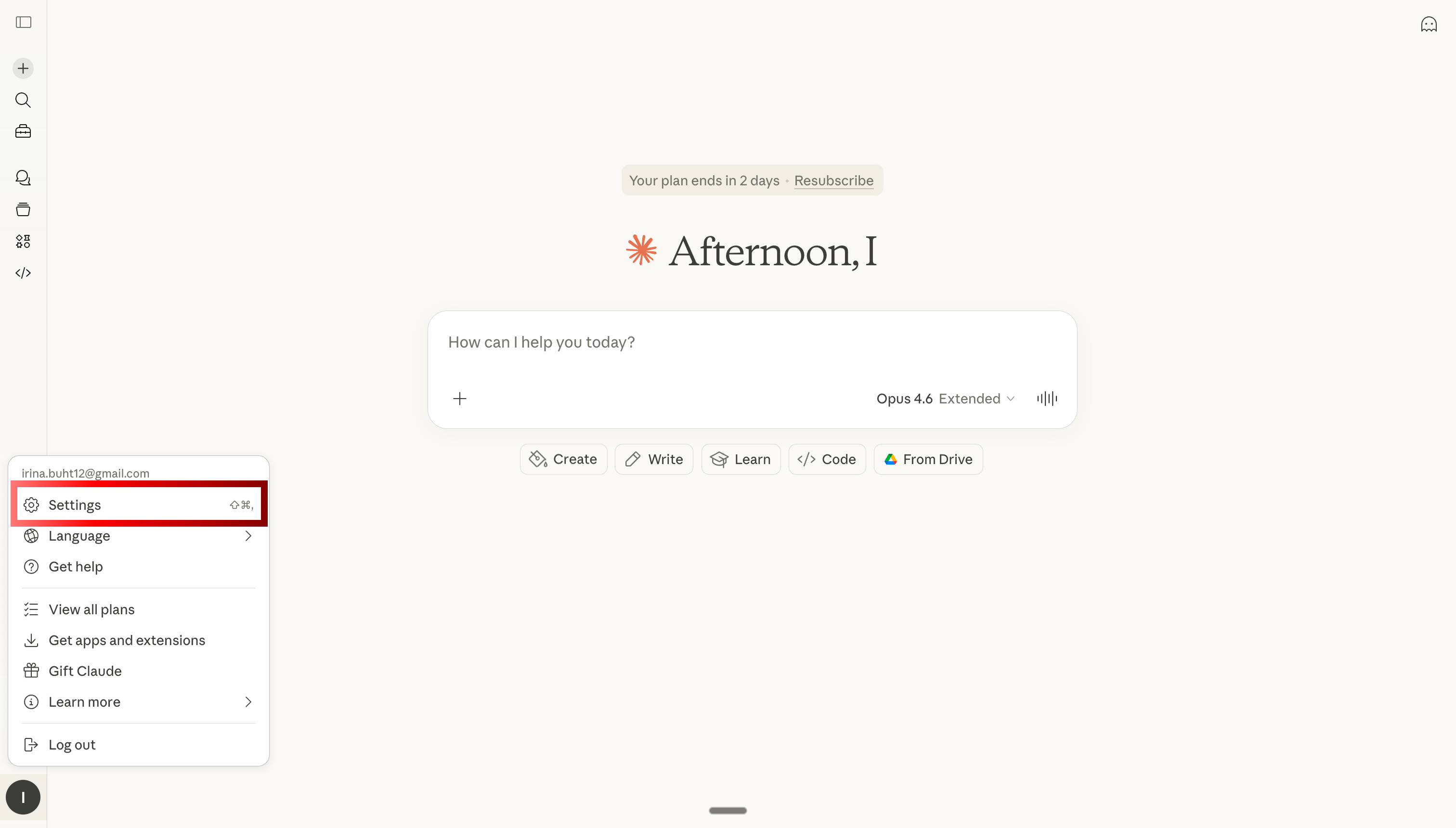
Open Claude Settings
Go to claude.ai, click your profile icon in the top-right, and select Settings.
Step 02
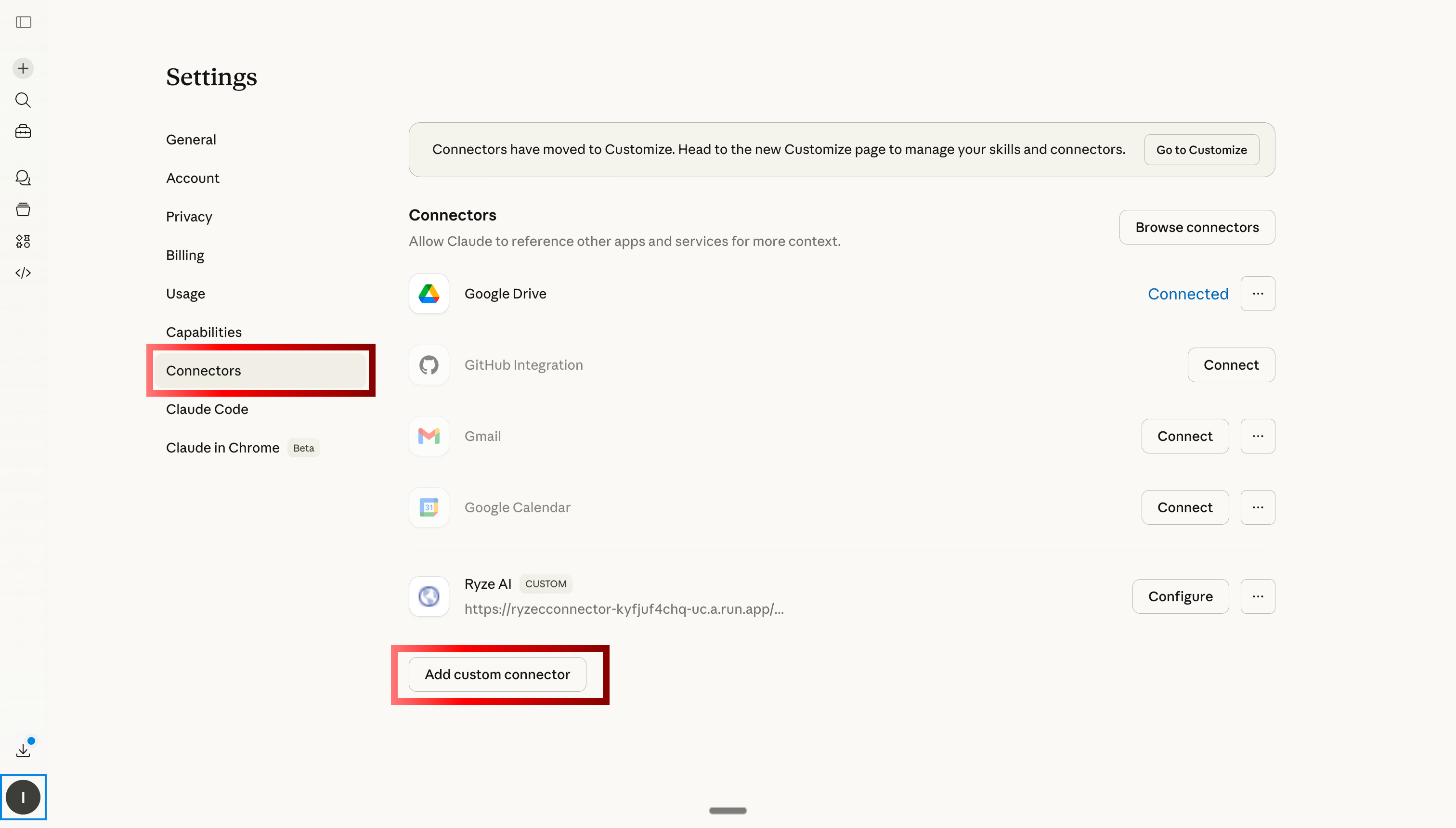
Open Custom Connectors
Navigate to the Connectors tab. Scroll to the bottom and click “Add custom connector.”
Step 03
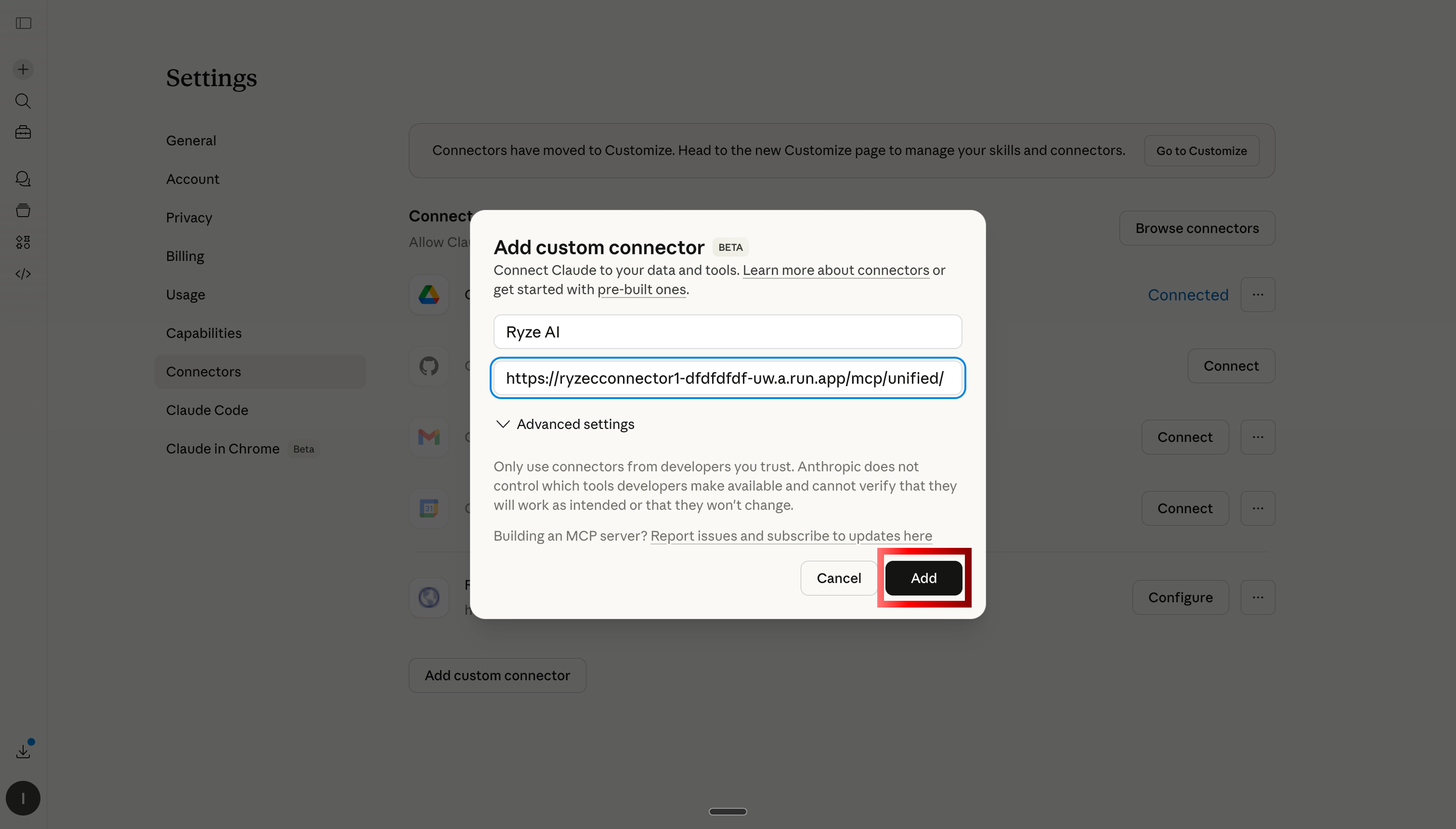
Paste the Ryze AI MCP link
Name the connector “Ryze AI” and paste the MCP server URL into the URL field. Click Save.
Step 04
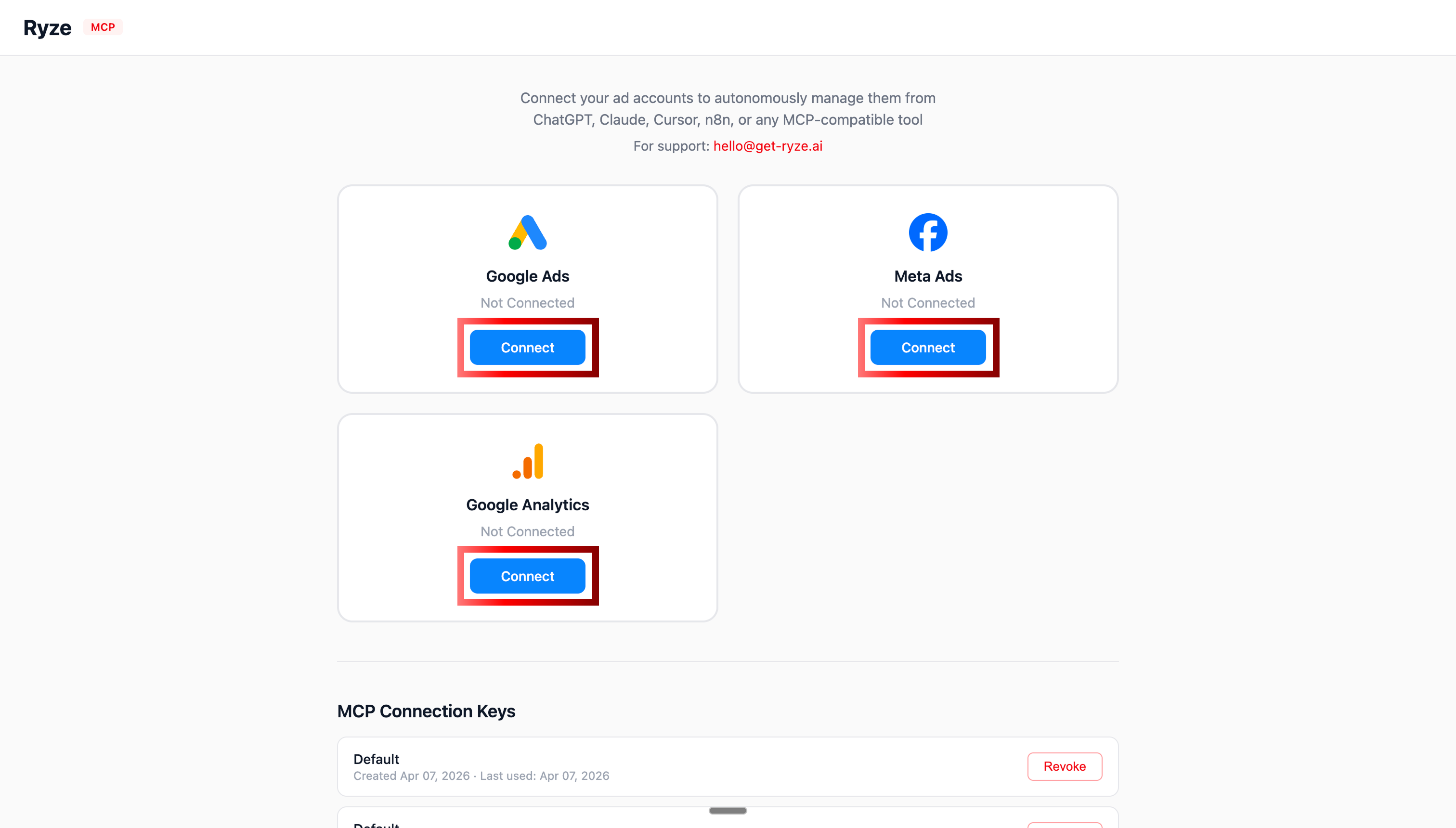
Authorize Google Ads & Meta Ads
Claude opens an OAuth prompt for each platform. Grant access to Google Ads and Meta Ads. Add Google Analytics too if you have it.
Step 05
Ask Claude your first question
You’re connected. Ask Claude anything about your accounts: “Audit my Google Ads account” or “Show me my top 10 Meta Ads campaigns by ROAS.”
1,000+ Marketers Use Ryze






Automating hundreds of agencies






 ★★★★★4.9/5

5 things you can do after connecting
Connection is step one. Here are 5 practical things marketers do within the first week of having Claude connected to their ad accounts.
Use case 01
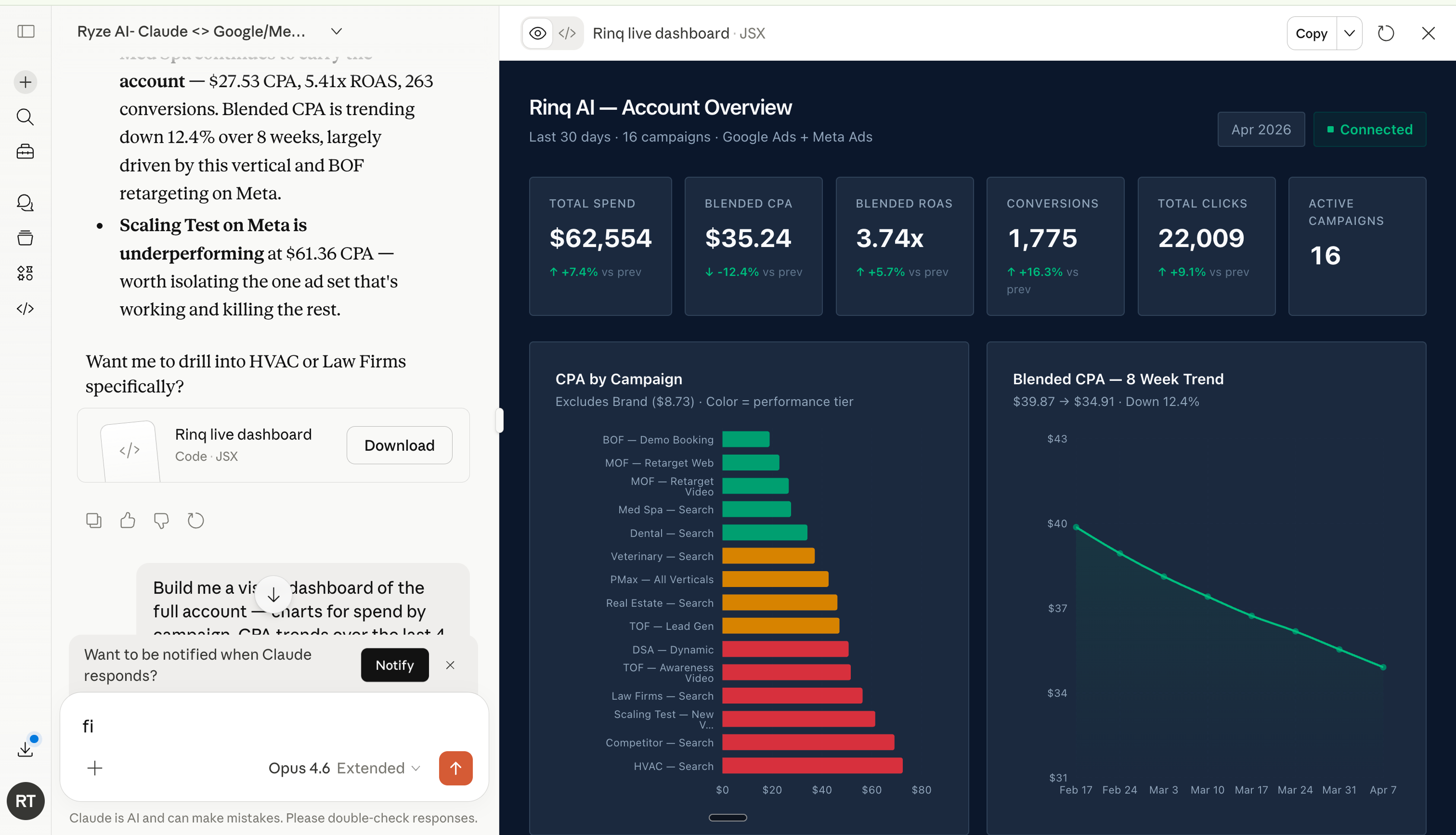
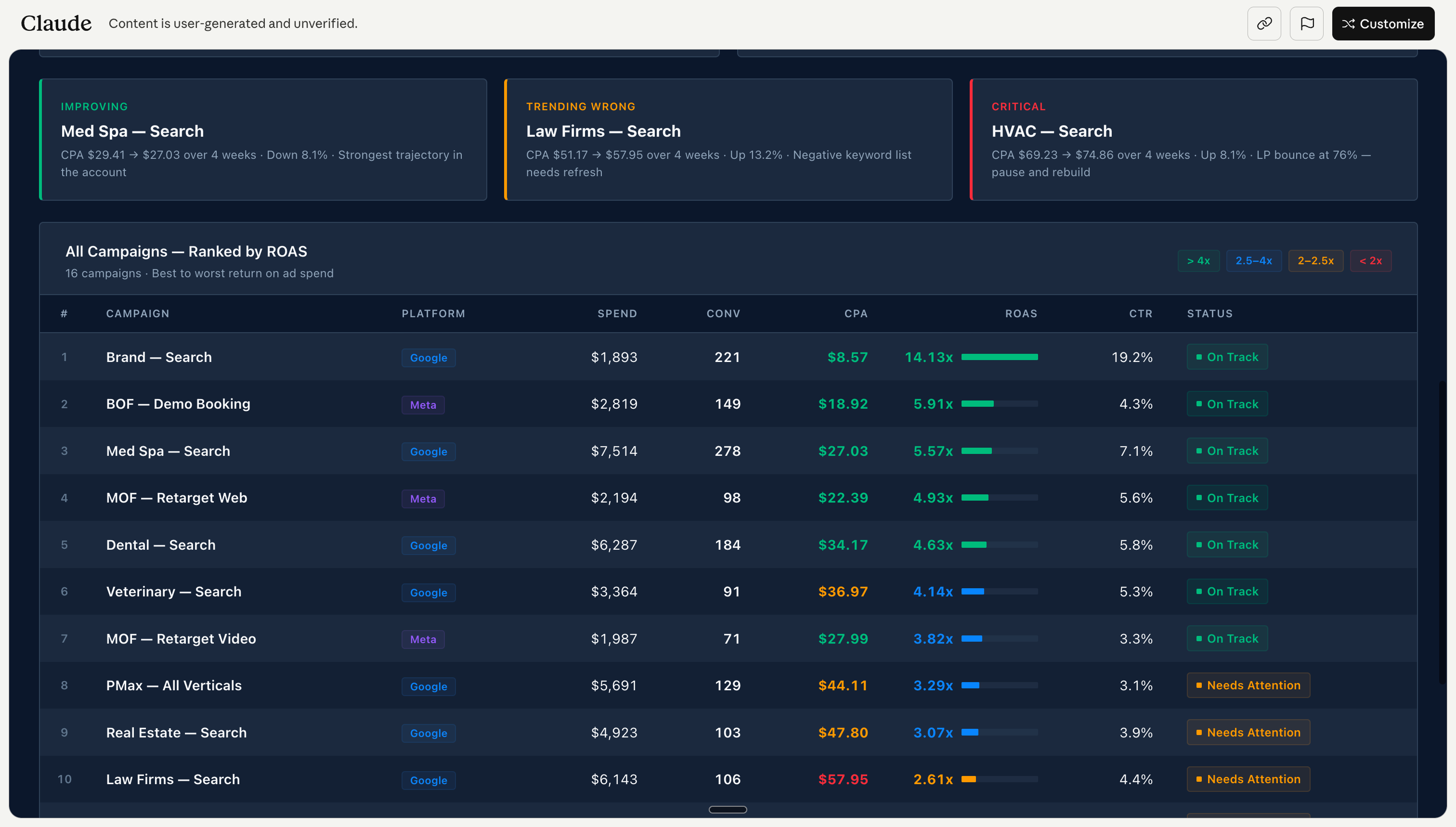
Build a live dashboard in one prompt
“Show me all campaigns with spend, conversions, CPA, ROAS. Flag underperformers.” Claude pulls live data from both platforms and builds the view instantly. No Looker, no Data Studio. Full guide: Live Ads Dashboard with Claude.
Use case 02
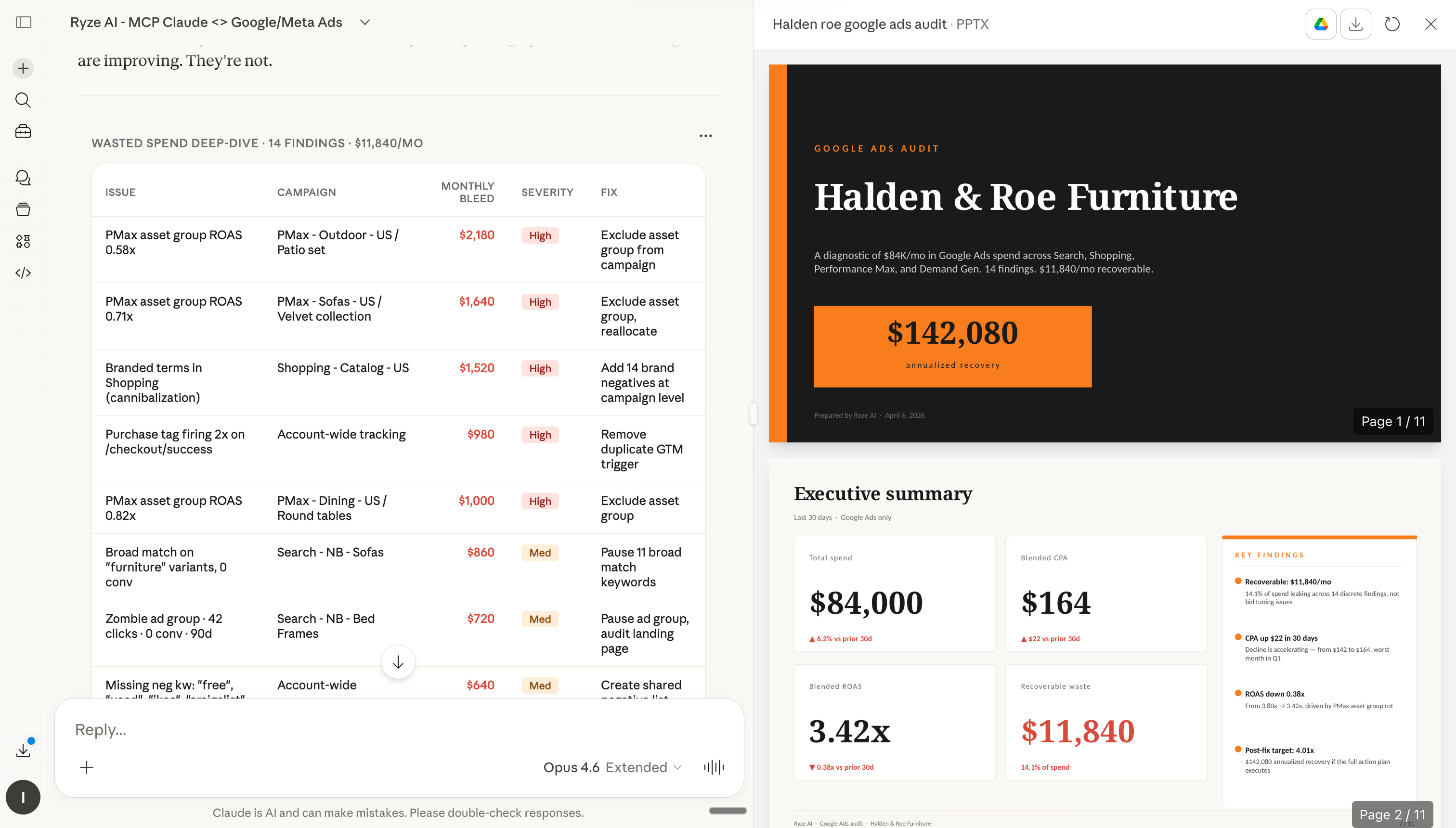
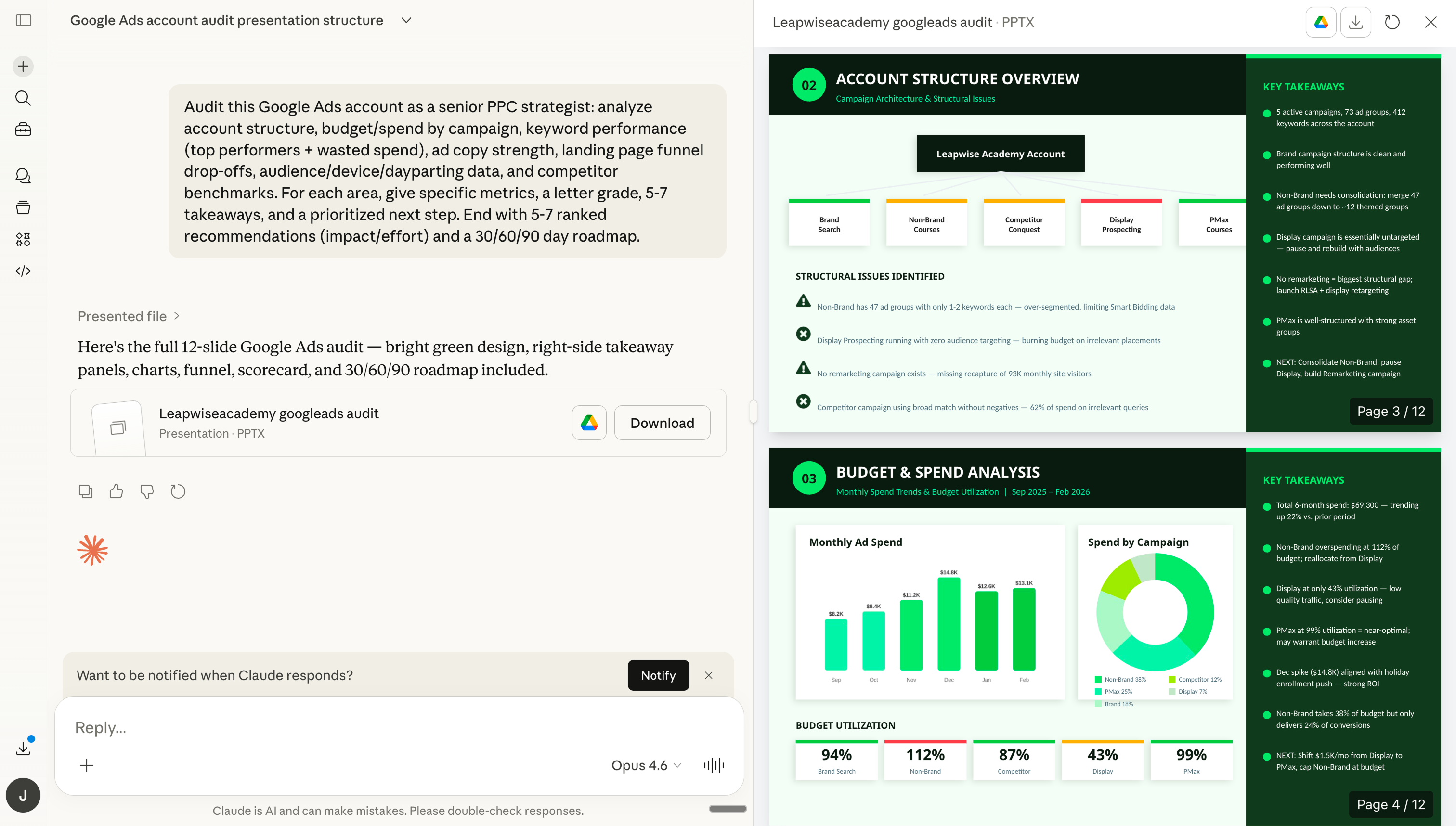
Run a full account audit in 60 seconds
“Audit my Google Ads account. Find wasted spend, quality score issues, and broken conversion tracking.” Claude pulls every relevant metric and produces a stakeholder-ready audit in under a minute — the kind of work that used to take a senior PPC specialist 4 hours.
Use case 03
Drill down into any campaign
“Break down campaign X by ad group. Show me CTR, CPA, and conversion rate for each. Flag anything declining.” Every follow-up question is a conversation — not a fresh report build. Drill as deep as you want.
Use case 04
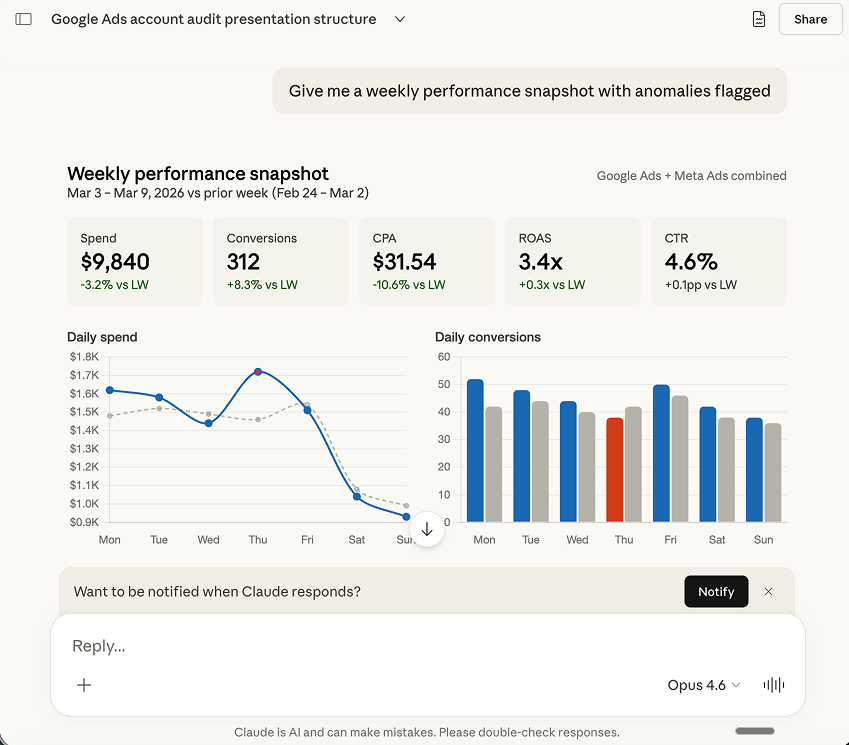
Generate a weekly performance report
“Create my weekly ad report. Include spend, conversions, CPA, ROAS. Top 3 wins, top 3 concerns, 5 action items. Write for a non-technical stakeholder.” Claude produces stakeholder-ready output you can paste into Slack or email — or schedule it to run automatically every Monday.
Use case 05
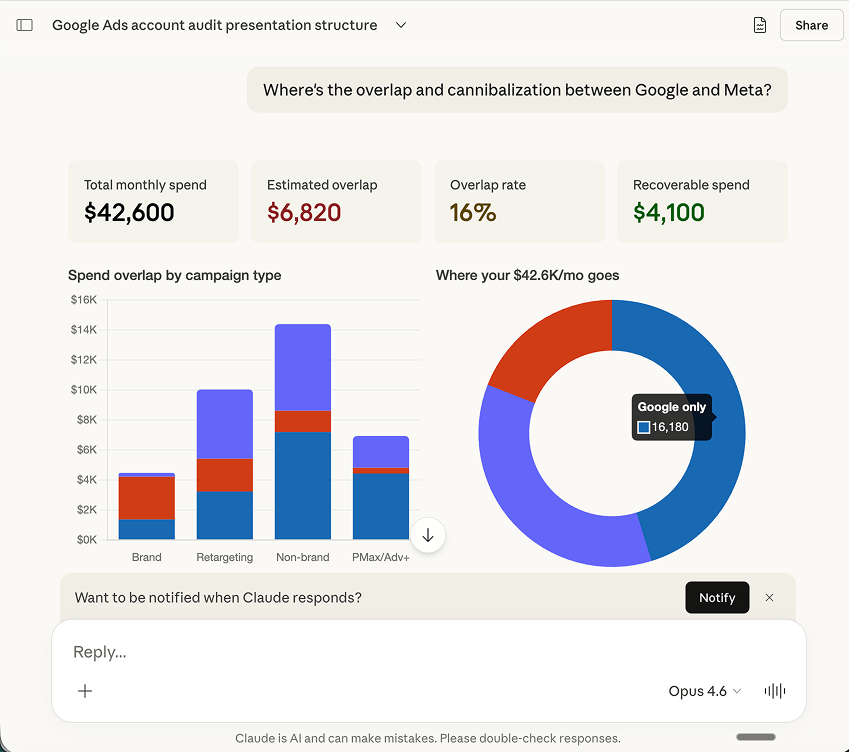
Find cross-platform audience overlap
“Check for audience overlap between my Google Ads and Meta Ads campaigns. Estimate the CPM inflation cost.” Claude compares targeting, finds where you’re competing against yourself, and recommends consolidation. Most accounts find 15-30% wasted spend on internal competition.
Ryze AI — Autonomous Marketing
Connect Claude to your ads in 3 minutes
- ✓Automates Google, Meta + 5 more platforms
- ✓Handles your SEO end to end
- ✓Upgrades your website to convert better
2,000+
Marketers
$500M+
Ad spend
23
Countries
Frequently asked questions
Q: How long does the connection take?
Under 3 minutes. The video walks through every click. Most people are up and running by the time they finish their coffee.
Q: Do I need to pay?
Claude Pro is required ($20/mo) for MCP. The Ryze AI connector has a free trial — no credit card.
Q: Can Claude change my accounts?
Yes. Claude can pause campaigns, adjust budgets, add negative keywords. You can require approval before any change.
Q: Is my ad data safe?
Yes. Uses standard OAuth. Claude only accesses what you authorize. Revoke anytime.
Q: Which platforms are supported?
Google Ads, Meta Ads, Google Analytics 4, Google Search Console. One connector, four platforms.
Q: Multiple ad accounts?
Yes. Works with agency MCC structures. Ask about one client at a time or run cross-client reports.
Ryze AI — Autonomous Marketing
Get Claude connected to your ads today
- ✓Automates Google, Meta + 5 more platforms
- ✓Handles your SEO end to end
- ✓Upgrades your website to convert better
2,000+
Marketers
$500M+
Ad spend
23
Countries

